
Zelda Classic 2.5
Create your own Zelda adventures
What is Zelda Classic?
Zelda Classic is a remake of the original NES Legend of Zelda for Mac, distributed as a free download. It is intended for players who want to revisit or create Zelda-style adventures on a modern computer.
Best for: Mac users interested in classic Zelda-style adventure games and custom display settings.
- Latest version: 2.5 (2012-12-27)
- Price: Free
- Platform: macOS
- Size: 9.68 MB
Zelda Classic technical details
| Version | 2.5 |
|---|---|
| Updated | 2012-12-27 |
| Developer | Armageddon Games |
| Category | Gaming Tools |
| License | Proprietary |
| Pricing | Free |
| File size | 9.68 MB |
| File type | TGZ |
| Operating system | macOS |
| Languages | English |
| Content rating | Not specified |
SHA-256 (latest file): 42c82db4329e4eb8a72de72107807f0f9fdb7bbfa32ff71014753b50d0af72b3
Facts verified 2026-10-31 from the official listing. APPDIR does not host installer files; downloads open the publisher's or store's official page.
Zelda Classic review
Zelda Classic, developed by Armageddon Games, recreates the original NES Legend of Zelda for modern Mac systems. Version 2.5 was released on December 28, 2012, and is distributed as a 9.68 MB TGZ archive. The software is free and proprietary, with an English interface. It aims to preserve the feel of the original game while adding options through its included launcher.
Players can use the launcher to adjust settings such as resolution, graphics type, and window color. These options let the game run in a more flexible way than the original console release. The package is designed for Mac users who want to experience a classic action-adventure title on their computer without requiring separate console hardware.
The download includes the game and its launcher, so configuration is handled from one place. Because the content rating is not specified in the listing, users should review suitability for their household before sharing it with others.
Key features
- Remake of the original NES Legend of Zelda
- Included launcher for adjusting settings
- Resolution, graphics type, and window color options
- Free download for Mac
- Distributed as a TGZ archive
Pros
- Free to download
- Classic game adapted for modern Macs
- Launcher provides display and color options
Cons
- Mac-only platform support
- Content rating not specified
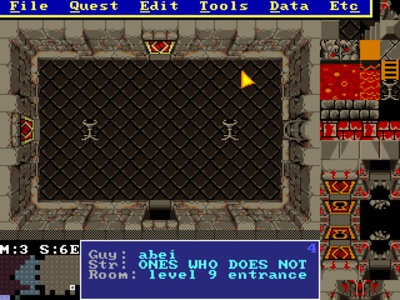
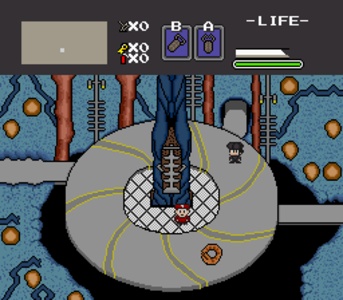
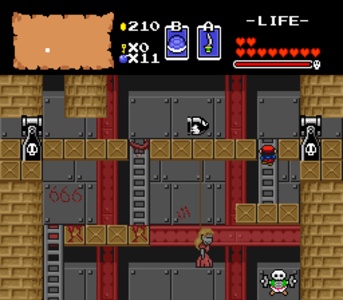
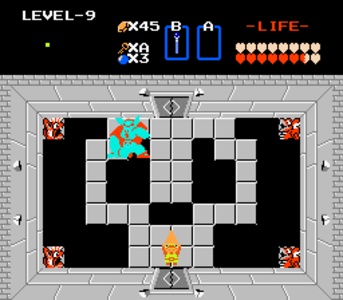
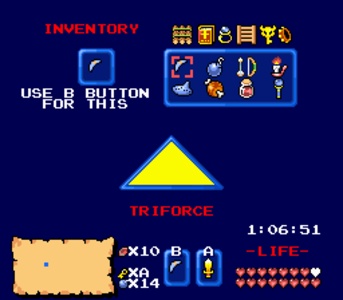
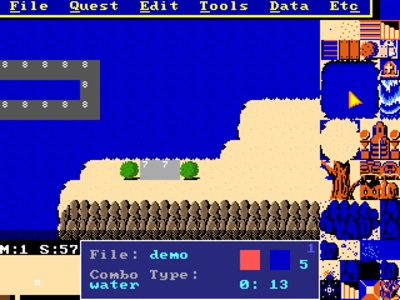
Zelda Classic screenshots
How to download and install Zelda Classic on Mac
- Open the Zelda Classic download page on APPDIR.
- Choose the official publisher or store link and download the TGZ file.
- Open the downloaded file and move the app to Applications. On first launch, confirm it in System Settings › Privacy & Security if macOS asks.
- Review the requested permissions and only grant what you need.
Is Zelda Classic safe?
APPDIR lists metadata and links to official sources only; we never re-host or modify installer files. Compare the SHA-256 hash above with the file you download to confirm it is untouched. The content rating is Not specified. See our security policy for how listings are checked.
Alternatives to Zelda Classic
Zimbra Desktop
Zelda Classic FAQ
What does Zelda Classic do?
It recreates the original NES Legend of Zelda and provides a launcher for adjusting resolution, graphics type, window color, and other settings.
How much does it cost?
It is free, though the license is proprietary.
Is it safe, and what permissions does it need?
The listing marks permissions as not applicable, and the content rating is not specified.
What are the system requirements?
It runs on Mac and is distributed as a 9.68 MB TGZ archive; version 2.5 was released on December 28, 2012.
What are some known alternatives?
Known alternatives include TLauncher, Epic Games Launcher, PS Remote Play, Steam, Nanny Mania, and Blockbench.