Zed 1.26.2
Ultra-fast and collaborative code editor
What is Zed?
Zed is a free, open-source code editor for Mac developed by Zed Industries. It is designed for developers who want a fast, collaborative editing experience with support for languages such as Rust, TypeScript, C++, and Python.
Best for: Mac developers who want a fast, collaborative, open-source code editor.
- Latest version: 1.26.2 (2026-10-27)
- Price: Free
- Platform: macOS
- Size: 83.98 MB
Zed technical details
| Version | 1.26.2 |
|---|---|
| Updated | 2026-10-27 |
| Developer | Zed Industries |
| Category | Development |
| License | GPL 3.0 |
| Pricing | Free |
| File size | 83.98 MB |
| File type | DMG |
| Operating system | macOS |
| Languages | English |
| Content rating | All ages |
SHA-256 (latest file): 4632b670da78371fef5a0e417918d7b42bfc333e291ae86ab6b758d635c6be81
Facts verified 2026-10-31 from the official listing. APPDIR does not host installer files; downloads open the publisher's or store's official page.
Zed review
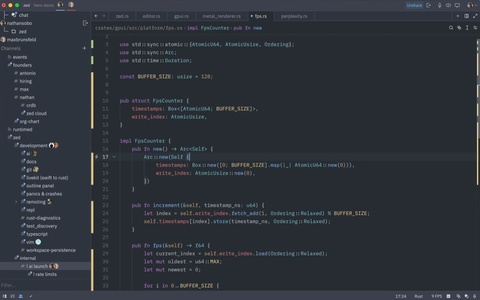
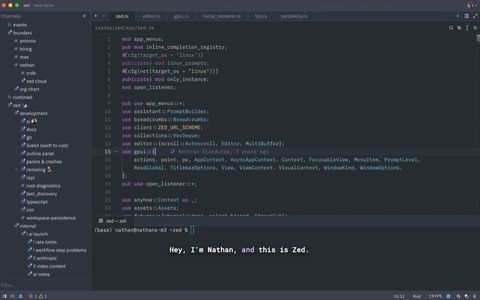
Zed is an open-source code editor released for Mac as a DMG installer. The project comes from Zed Industries, the team associated with Atom, and is distributed under the GPL 3.0 license at no cost. Its interface is intentionally minimalist, aiming to load quickly while keeping editing responsive. The editor is written in Rust, which the developers associate with low latency and efficient resource use on Mac.
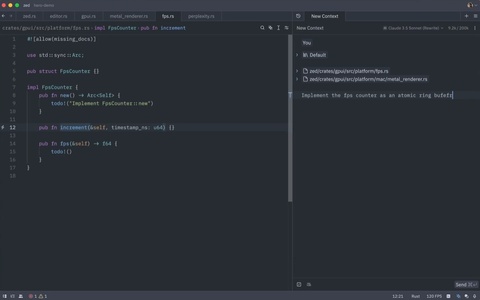
Zed emphasizes collaborative writing and resource management for complex projects. According to the reference description, it offers a fluid editing experience and many options for maximizing Mac performance. Its support includes Rust, TypeScript, C++, and Python, while the simple appearance hides a capable feature set. The current release is version 1.26.2, dated October 28, 2026, and the download is 83.98 MB.
The listing shows English language support, an all-ages content rating, and no applicable permissions. No download count or user rating is provided. Users comparing editors may also consider Visual Studio Code, PyCharm, Android Studio, GitHub Desktop, Docker, or Android SDK Platform-Tools.
Key features
- Open-source code editor for Mac
- Collaborative writing experience
- Rust-based implementation for low latency
- Supports Rust, TypeScript, C++, and Python
- Minimalist interface with fast loading
Pros
- Free to use under GPL 3.0
- Lightweight, minimalist interface
- Multi-language support including Rust and Python
Cons
- Only Mac platform is listed
- No user rating or download count is available
Zed screenshots
How to download and install Zed on Mac
- Open the Zed download page on APPDIR.
- Choose the official publisher or store link and download the DMG file.
- Open the downloaded file and move the app to Applications. On first launch, confirm it in System Settings › Privacy & Security if macOS asks.
- Review the requested permissions and only grant what you need.
Is Zed safe?
APPDIR lists metadata and links to official sources only; we never re-host or modify installer files. Compare the SHA-256 hash above with the file you download to confirm it is untouched. The content rating is All ages. See our security policy for how listings are checked.
Alternatives to Zed

yt-dlp
xVideoServiceThief
windows95 (electron)
spank
smcFanControl
Zed FAQ
What does Zed do?
Zed is an open-source code editor for Mac that supports collaborative writing and languages such as Rust, TypeScript, C++, and Python.
How much does Zed cost?
Zed is free and licensed under GPL 3.0.
Is Zed safe, and what permissions does it need?
The listing shows an all-ages content rating and no applicable permissions; it is distributed as a DMG file.
What are the system requirements for Zed?
This listing identifies Mac as the platform and an 83.98 MB DMG installer; more detailed system requirements are not provided.
What are alternatives to Zed?
Known alternatives include Visual Studio Code, PyCharm, Android Studio, GitHub Desktop, Docker, and Android SDK Platform-Tools.